Tomodachi Life Pixel Art Maker

Use this Tomodachi Life Pixel Art Maker to convert any image into a game-palette grid, color labels, and a friendly Tomodachi Life pixel art guide.

  • Game palette84 swatches matched to the Tomodachi Life color picker.
  • Grid setupUse Tomodachi Life grid maker settings to choose canvas shape and brush size before you paint.
  • Find a colorHover a swatch to preview each Tomodachi pixel art color group.

How does the Tomodachi Life Pixel Art Maker work with the game?

A practical map between the Palette House work you do in-game and the reference grid Tomo Pixel Art creates in your browser. It works as a Tomodachi Life pixel art converter and guide: it prepares a plan; it does not import files, edit saves, or connect to Nintendo systems.

Start with a matching canvas shape

Use Square for a 256 x 256 drawing area, or pick another preset when you need a book-cover, wide, mini, or tall reference. The canvas setting shapes the Tomodachi Life grid you follow by hand.
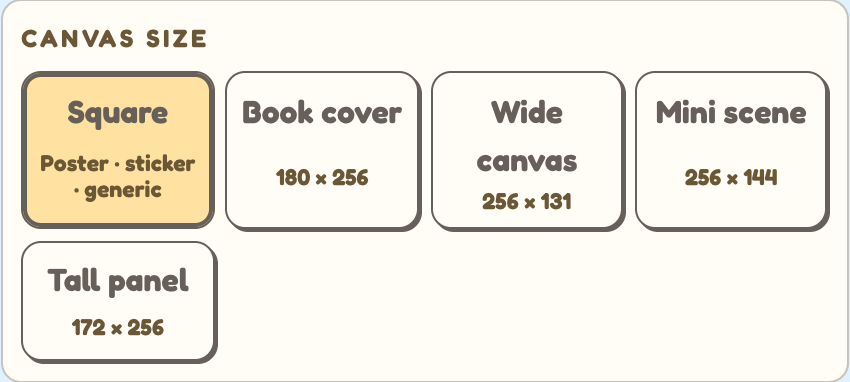
Tomo Pixel Art canvas size settings with Square, book cover, wide, mini, and tall presets
Choose the closest canvas preset before tuning colors or counting cells.

Brush size decides how many cells you copy

Brush size controls the image to pixel art reference resolution: smaller brush sizes create more cells and more detail, while larger brush sizes make a chunkier plan that is faster to copy.
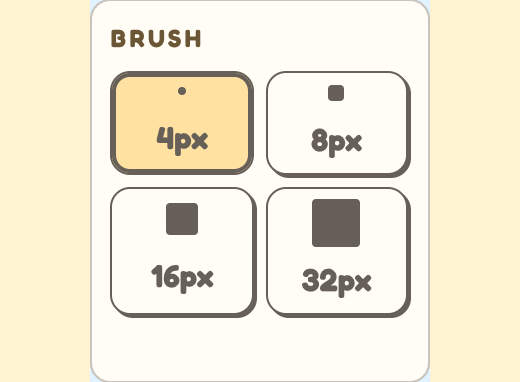
Tomo Pixel Art brush settings showing 4 px, 8 px, 16 px, and 32 px options
Set brush size before painting so the grid matches the amount of detail you want to copy.

Use the grid and palette list as a counting aid

The generated artboard gives you a Tomodachi Life image to pixel art reference with cells and landmarks to count, while the Colors list keeps row/column labels, shade hints, and color totals in one place. Paint one color group at a time in Palette House, then return to Tomo whenever you need to confirm the next square.
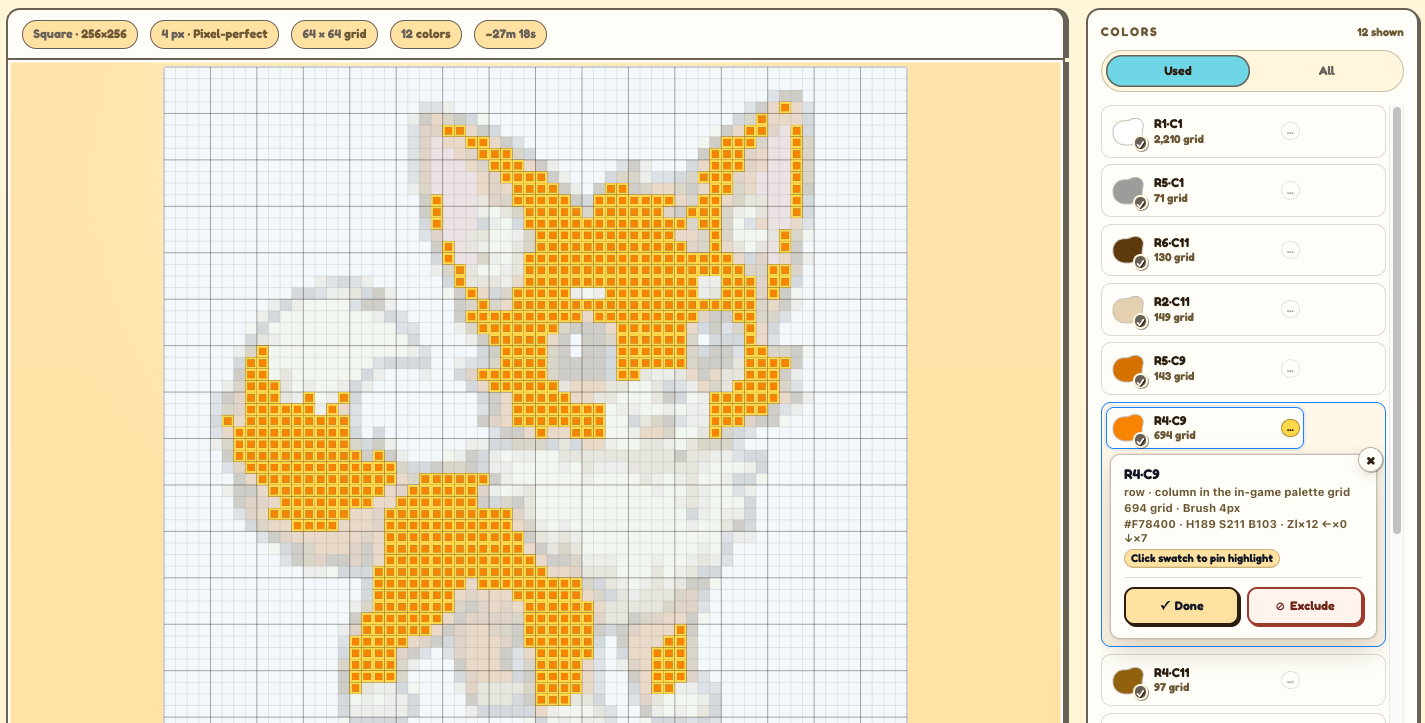
Tomo Pixel Art generated grid with highlighted cells and the color palette list
Keep Tomo open next to the game, count across the highlighted cells, and copy each color group by hand.

Frequently Asked Questions

How does Tomo Pixel Art work with Tomodachi Life: Living the Dream?
Tomo Pixel Art works as a manual Tomodachi Life pixel art converter for the game. Upload a reference, adjust max colors, brightness, saturation, canvas size, and brush size, then copy the resulting cells by hand in Palette House. The tool does not import files into the game or modify saves.
How to do pixel art in Tomodachi Life with Tomo?
Upload an image, choose a canvas shape and brush size, then use the Tomodachi Life image to pixel art grid as a manual reference. Tomo is a guide, not an importer, so you copy the pixel art for Tomodachi Life by hand.
How does brush size affect the reference grid?
Brush size becomes the cell size for whichever canvas preset you choose. On the 256 x 256 Square preset, for example, 8 px produces a 32 x 32 grid, while 16 px produces a 16 x 16 grid.
Does Tomo Pixel Art use the game color palette?
Yes. The converter maps the grid to the 77 base swatches and 7 extra saturated strip colors used by this Tomodachi Life pixel-art workflow. Color chips prioritize row/column labels and H/S/B press-count hints because those are the useful cues when you recreate the design by hand; HEX is only kept as a secondary reference/export value.
How do I get the generated colors to match my reference image?
Start with the max colors slider in the side panel and pull it up or down until the result feels closer to your reference. If that still looks off, set both brightness and saturation back to zero, then adjust the image crop or brush size. The converter maps the grid to the 77 base swatches plus 7 extra saturated colors, so the output stays practical for by-hand color matching in Palette House.
What exactly is Tomo Pixel Art?
Tomo Pixel Art is a Tomodachi Life pixel art guide that turns any picture into a paint-by-numbers reference. Use it as a visual blueprint for square items, book-cover-sized designs, wide or tall panels, mini scenes, and other hand-copied custom designs in Palette House.
Is Tomo Pixel Art free, and do I need an online subscription?
Yes, it is free to use and no online subscription is required. It acts purely as a reference - you copy the result into Tomodachi Life: Living the Dream by hand.
Can I share a Tomo Pixel Art reference with other players?
Tomo Pixel Art keeps your image and design data in your browser to protect your privacy, so it does not upload, host, or create share links for references. You can still download the reference and share it manually; any in-game local sharing happens inside Tomodachi Life: Living the Dream, not through this site.
Why does my Tomo Pixel Art result look less detailed than expected?
Two things usually cause this: the max color count is too low for the source image, or the brush size is too large. Try increasing the max color count for more shade detail, choose a smaller brush size for sharper edges, and crop in on the most important part before uploading.
Can I import a Tomo Pixel Art design directly into Tomodachi Life?
No. Tomo Pixel Art creates a manual reference grid only. It does not import designs, edit saves, scan QR codes, or integrate with Nintendo systems.